
Backwards to the Future
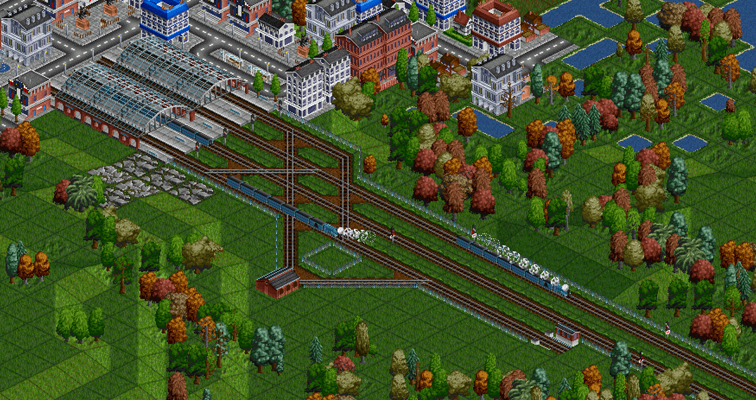
Scene: Rush hour at a major terminal, circa 1990.
Commuters swarm the electric multiple units arriving empty from the depot, their drivers simply changing ends before a quick departure back to the suburbs.
Intercity trains arrive behind unpowered Driving Van Trailers, then depart with the locomotive leading.
An overnight sleeper to the seaside reverses into the station under the watchful eye of its guard, the locomotive pushing from the other end.
What game is this? OpenTTD 16! Let’s discuss our latest visual improvement and an optional new gameplay challenge.
Backwards trains
OpenTTD 16 adds the ability for trains to drive backwards. Currently, when a train changes directions at a station or dead-end track, it magically flips the train to reverse directions, with the engine jumping to the front and the carriages reversing order. We’ve added two options to enhance this:
Push-pull
The first is a purely visual change, and happens automatically whatever your settings. Trains with a driving cab on the back will no longer magic-flip when reversing directions, and will instead drive backwards at full speed. This change for trains with rear cabs looks nicer and is always enabled. But don’t worry, this has no gameplay impact – all your networks will work exactly as they did before.
Driving cabs are provided by a locomotive, a multiple unit train like the Dash, a dual-head locomotive like the T.I.M., or an unpowered NewGRF wagon which is marked by the NewGRF author as having a cab. The latter are called different things around the world, including “Driving Van Trailer” in the UK, “Steuerwagen” in German, and “Cab Car” in the US.
Trains without a cab on the rear continue to magic flip, same as before, unless you change the setting described below…
Disable magic flip
There is a new setting which can remove the ability for trains to magic flip when reversing. Trains with a driving cab on the rear (as described above) will be unaffected, but trains without a cab on the rear will drive backwards at a reduced speed of 32 km/h, or 20 mph.
Players who opt-in to this mode are presented with a new gameplay challenge, to turn their trains around or suffer the consequences of slowly driving backwards.
In the real world, the driver cannot see the back of the train so another employee generally rides or walks alongside the leading wagon communicating with the driver by radio or hand signal. Sometimes they have an emergency brake valve to force the train to stop, but since there is no cab, speed is restricted. In OpenTTD, you may decide that this is fine for some trips, but generally you’ll want to make sure the train turns around to drive at its full speed.
If you choose not to opt-in to this mode, your trains without a cab on the back will continue to magic flip and drive at full speed, same as before.
How to turn trains around
If you leave magic flip enabled, your gameplay experience will not change.
To prohibit magic flip, the setting to change is “Allow trains to flip when reversing, which has three options:
- All (default): Trains may magic flip anywhere.
- End of line only: This is the new name of the existing “Disallow train reversing in stations” setting, which is a pathfinder setting and does not affect trains’ ability to drive backwards.
- None: Trains will never magic flip, and if they lack a driving cab on the back, will drive backwards at reduced speed.
So, if you prohibit magic flip, how do you turn your trains around? There are three ways to do this:
A big circle or Ro-Ro station
Make your station one-way where trains enter from one end and leave from the other. One-way signals will prevent trains from entering the station from the wrong direction, or backing out instead of going forwards.
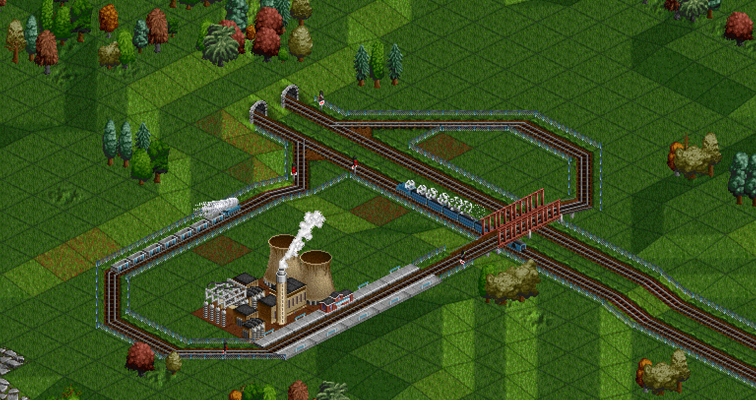
A balloon loop
Send your train around a reversing loop. A waypoint can be used to help trains find their way if needed. If you make a simple loop, make sure there’s a signal at the loop exit as the train won’t cross its own path otherwise.
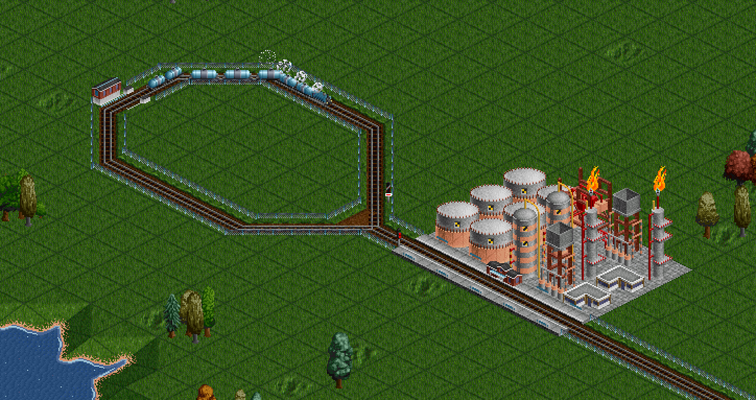
A wye / triangle
Use two waypoints or stations to send trains forward down a dead-end track before backing into another; they can then leave facing forwards.
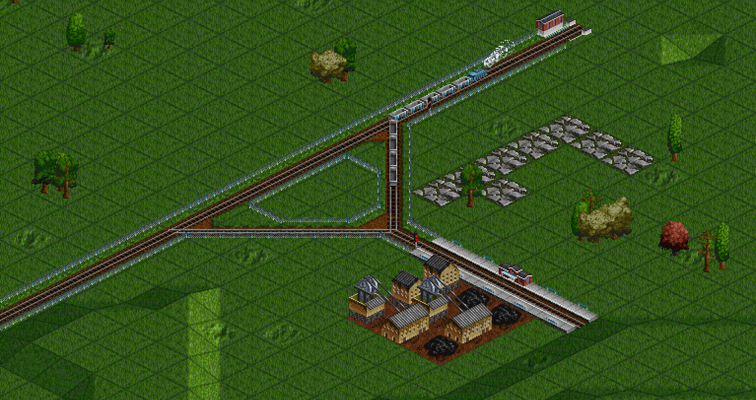
I use wyes for my freight loading stations, often with the first leg of the wye forming a yard where trains can wait, and the second leg of the wye being the loading station. Note that a wye which uses waypoints does not have to be straight or level, only long enough for the entire train. (I sometimes use bridges and tunnels on hilly maps!)
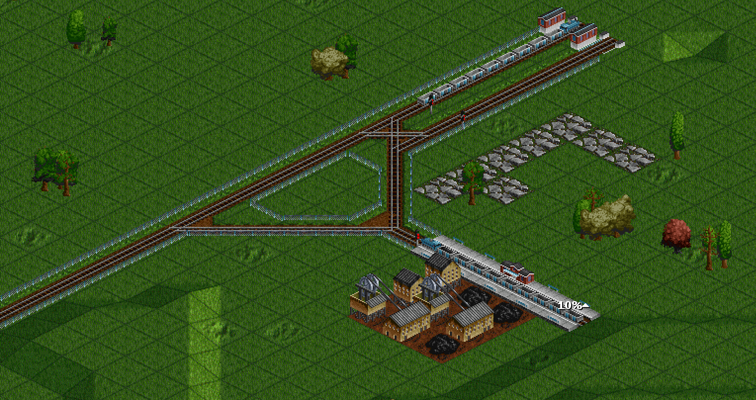
A depot
Trains which enter a depot always leave driving forwards, no matter which way they enter. This is intended as a tool to manually fix trains which accidentally end up driving the wrong way, and to avoid any issues with automatic servicing.
I use depots and a wye together at terminus stations, in conjunction with depot unbunching: The train arrives at the station, backs into the depot, then drives forward into the wye before backing into the station again, ready for departure. (Orders are Station, Depot, Waypoint, Station, in that order.)
NewGRF considerations
NewGRF trains don’t need any modification to support push-pull with a locomotive on each end. To support unpowered driving cabs, authors need to update their sets to use the new flag denoting a wagon as having a cab. There is also a new variable to tell a train if it’s currently backing up, so authors can set head/tail lights, pantographs, etc., accordingly.
When a train is driving backwards, it is actually driving backwards; i.e. the order of the vehicles does not change. This means that the existing NewGRF variables for previous, next, first, and last vehicles continue working.
Some NewGRF sets have “fake push-pull” that works by swapping sprites when the train magic flips. Where this is used for multiple units, like in Danish Trains, this sprite swap is automatically disabled by OpenTTD so these trains will use native push-pull. However, their automatic head and tail lights will no longer show accurately; the NewGRFs must be updated to fully use native push-pull. (There is no way to fully support the old push-pull in OpenTTD, the partial compatibility is a lucky break.)
No NewGRF modifications are required to support trains backing up without magic flip, with one exception: If “fake push-pull” uses an unpowered driving van trailer and magic flip is disabled, this train will drive at reduced speed. These NewGRFs must be modified to fully support disabling magic flip.
Room to grow
Allowing trains to drive backwards bucks decades of assumptions in OpenTTD’s code about trains always driving forwards. As you might imagine, altering this was a hefty change to code, and a lot of communication with my fellow developers and NewGRF authors. For example, naming is a constant struggle in software development. Did you know OpenTTD tracks if a vehicle is flipped, if it’s reversed, and if it’s driving backwards, and all of these mean different things?
In order to get this major feature merged without getting lost in the details, I intentionally built the simplest version, missing some features that people suggested. For example, some NewGRF authors want to simulate trains without push-pull compatibility, set custom speed limits when a driving van trailer is leading, and more. These are not currently supported, but we welcome Pull Requests!
Finally, a lot of people have asked me if this is Step 1 toward full shunting in OpenTTD. Unfortunately, the answer is no; shunting is an entirely different challenge and this does not make it easier (nor harder) for anyone to implement in the future.
Credit is due
I want to thank frosch123 for writing the original patch which allows trains to drive backwards. It provided the blueprint for my work to complete the feature. As always, thank you also to my fellow developers for code reviews, support, and advice.
We stand on the shoulders of giants.